THE WHOLE PRODUCT
The whole system, from the customer's booking to the crew's payment
DOP is not a collection of loose modules: it is a single operational thread. Here is every part, with its interactive demo and its own page for the detail.
14 days · no card · 1:1 onboarding included
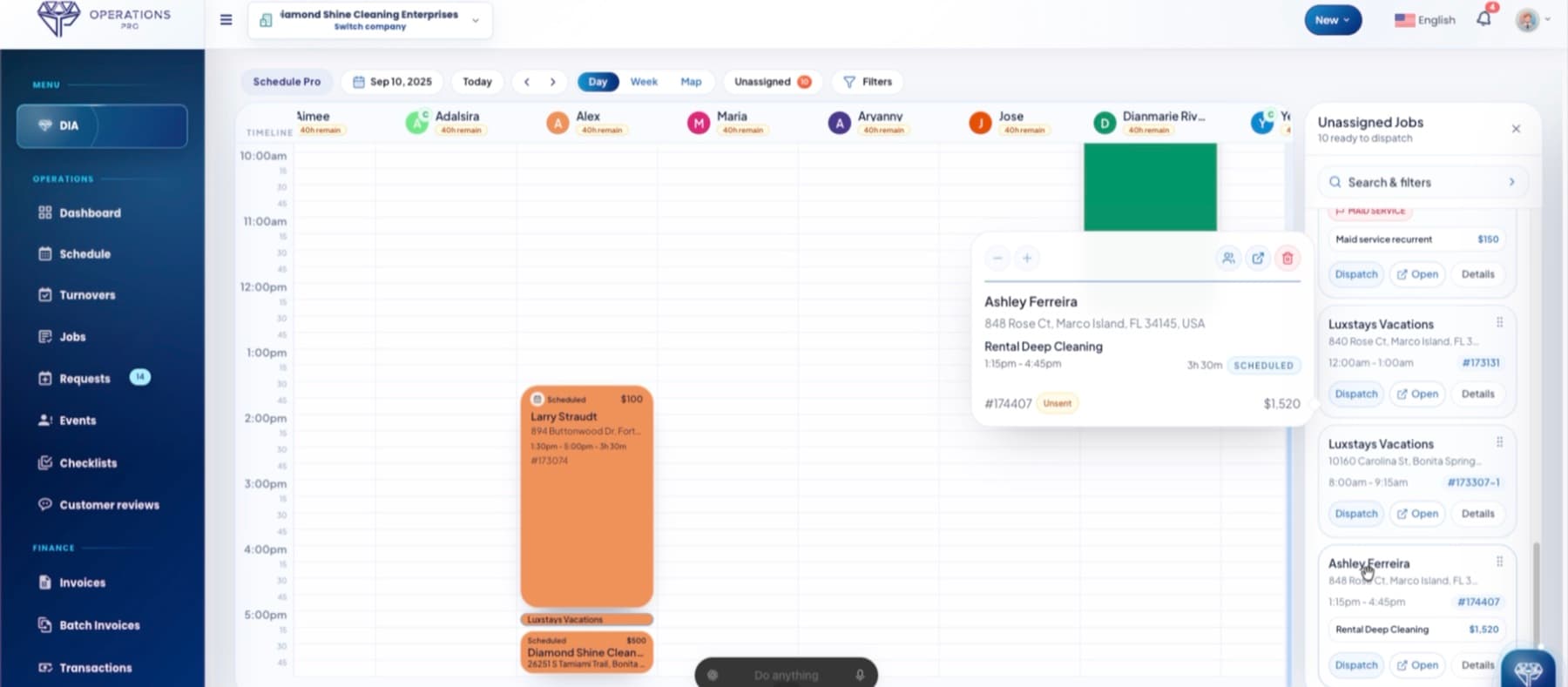
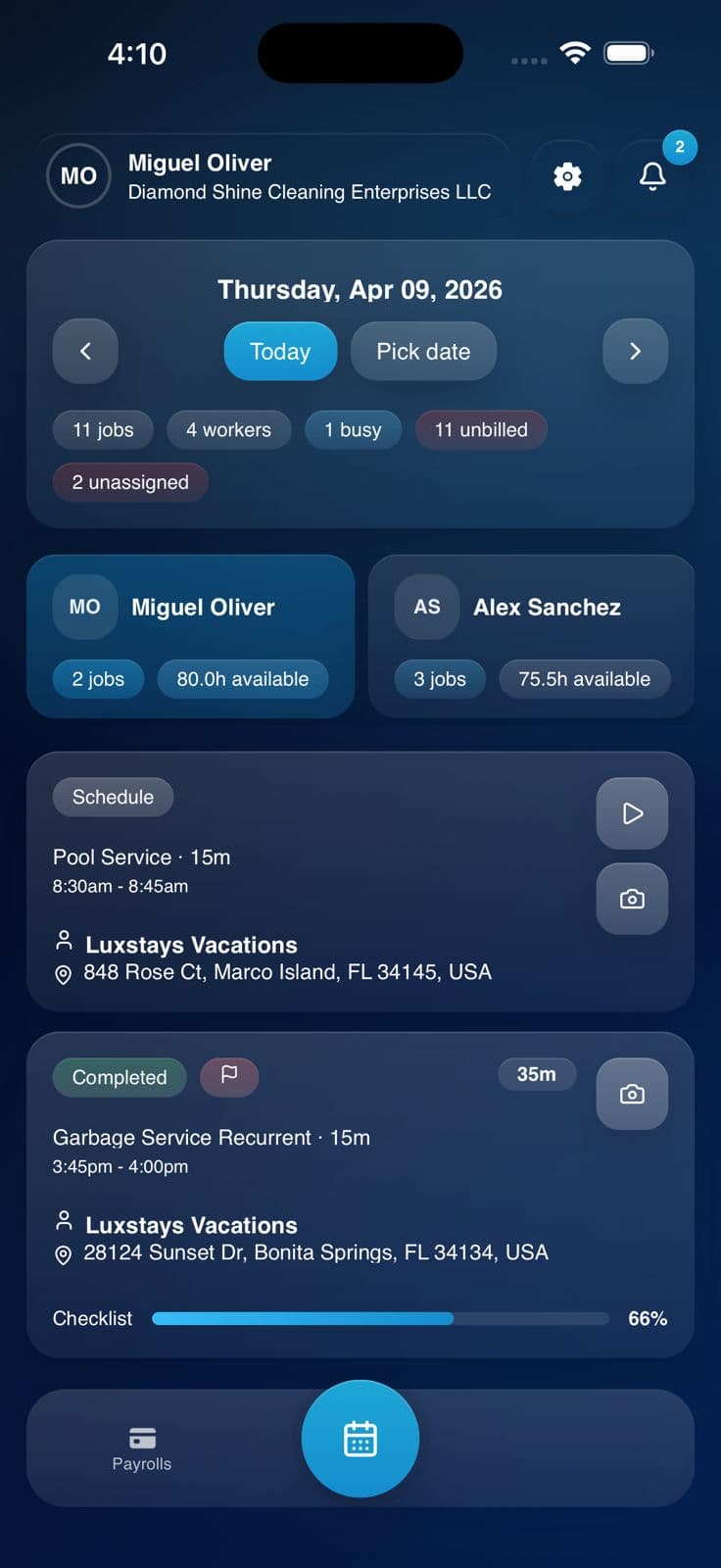
Real product, running on this page.
THE PLATFORM · IN 52 SECONDS
See the whole system, screen by screen
From the booking form on your website to the owner app: every screen of DOP, in the order a job travels through them.
START HERE
The big picture
If you only look at one thing, watch the full journey: a job arrives, gets assigned, executed, invoiced and paid.
- END TO ENDWith demoFull journeyThe whole cycle of one job: request, schedule, execution, invoice, payment and real margin.See
- OVERVIEWWith demoSystem overviewWhat DOP includes and how the pieces connect to each other.See
- FLOWWith demoHow it worksThe journey explained step by step, without playing anything.See
- INTELLIGENCEWith demoDIA · The three levelsAdvisor tells you, Assistant gets it ready, Execution does it. Plus the ten areas it watches every day.See
WORK INTAKE
How work arrives and becomes a job
From the moment the customer finds you to the request landing in the panel with its full context.
- WEBSITEWebsite BuilderYour site with your photos and your domain, with booking that lands in DOP.See
- CUSTOMERWith demoBooking engineThe guided seven-step form, with estimated price and confirmation.See
- SALESWith demoEstimates & digital signatureDIA proposes the price from your history, the customer signs from a secure link, and the estimate becomes a job.See
- CRMCustomers and propertiesEvery customer, their property, their history and their balance in one place.See
- RECORDSCustomersFull history, contacts and terms for each account.See
- LOCATIONSPropertiesAccess notes, instructions and the particulars of each address.See
THE DAY'S OPERATION
Schedule, dispatch and execution
The whole day on one screen: who does what, where, and with what evidence.
- HUBWith demoDaily operationsThe command centre of the day: schedule, jobs and exceptions.See
- ASSIGNMENTWith demoSchedule and dispatchUnassigned queue, dispatch by distance and availability, drag and drop.See
- JOBSWith demoJobsEvery job with its customer, service, status and real value.See
- EVIDENCEWith demoChecklists and photosProof of what was done, before invoicing and in case of a dispute.See
- RENTALSWith demoTurnover CalendarCleanings between check-out and check-in, chained and recurring.See
IN THE FIELD
The crew on site
The mobile apps and everything around the person actually doing the job.
- HUBWith demoTeam and payrollPeople, hours and labour cost connected to the job.See
- FIELD TECHWith demoEmployee appAccept, start, check off the list, upload photos and close from the phone.See
- OWNERWith demoTeam managementWho is working, on what and what is missing, from your pocket.See
- CUSTOMERWith demoCustomer portalTheir services, their photos and their invoices, without calling you.See
THE MONEY
Get paid, pay out and grow
What turns finished work into money in your account — and into margin you can actually read.
- BILLINGWith demoInvoicing and paymentsThe invoice is built from what was executed and the payment lands in your account.See
- ACCOUNTINGQuickBooks OnlinePaid invoices and their payments sync on their own, with bank reconciliation tracking.See
- PAYWith demoPayrollReal hours and cost per job, reviewed before you pay.See
- MARGINWith demoReports and profitabilityBilled, collected, expenses and real profit for the period.See
- GOOGLEWith demoReviews and reputationThe review is asked for at the minute the customer is happy.See
- ACCOUNTSettings and securityRoles, permissions and control over who sees what in your operation.See
